Constraining CEDAR Fields to Ontology Terms
When you design a template field, you decide what its values are allowed to be, and the most valuable thing you can do is tie those values to terms that already exist in a shared vocabulary. This tutorial is a close look at how CEDAR lets you do that. It assumes you have done the basic CEDAR Tutorial and can already create a folder, design a template, and add fields.
The weakest way to define a field is to leave it as free text. Two people then write "kidney", "Kidney", and "renal", and no program can tell they mean the same thing. CEDAR instead lets you constrain the field to terms drawn from an ontology repository, so every value someone enters is a real, resolvable identifier that means the same thing to everyone and to every program. CEDAR draws these terms from BioPortal, an open repository of biomedical ontologies.
There are three ways to point a field at BioPortal terms, and they differ in how much you reuse and how much you assemble yourself. You can bind the field to an entire ontology, to a single branch of one, or to a set of individual classes you choose one at a time. They run from the most reuse to the most bespoke, and that is the order this tutorial follows.
One thing this tutorial deliberately shows is that the right term rarely just appears. BioPortal holds hundreds of ontologies, the same word names different things in many of them, and the concept you want is often buried deep inside a large ontology rather than sitting at the top. Finding it takes searching, narrowing, and judgment.
You will build one template, Tissue Sample, and add one field for each of the three kinds of constraint. You need a CEDAR account and about 20 minutes.
Start the Template
Create a folder to work in, open it, and start a new template named Tissue
Sample with a short description. CEDAR opens the Template Designer.
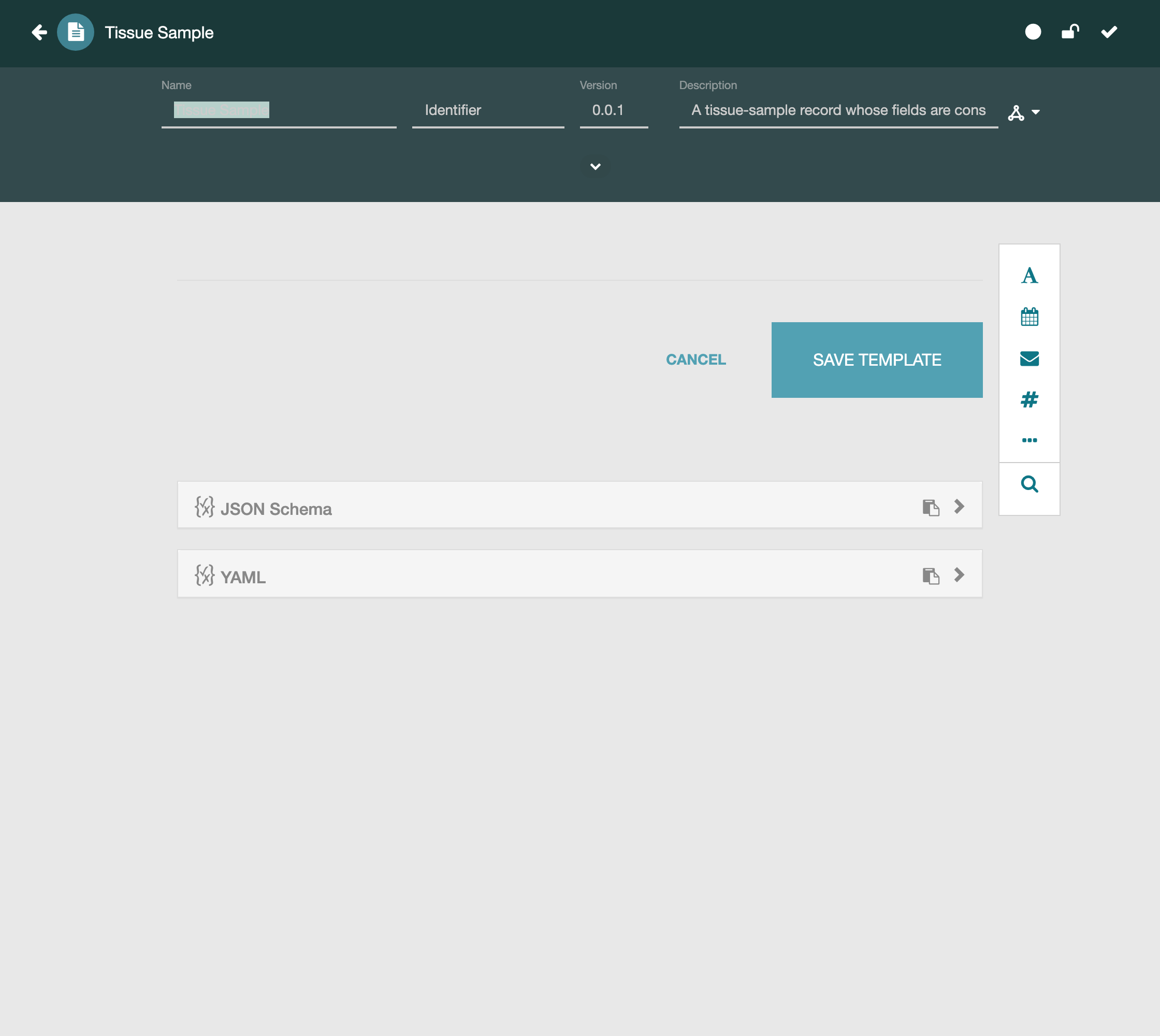
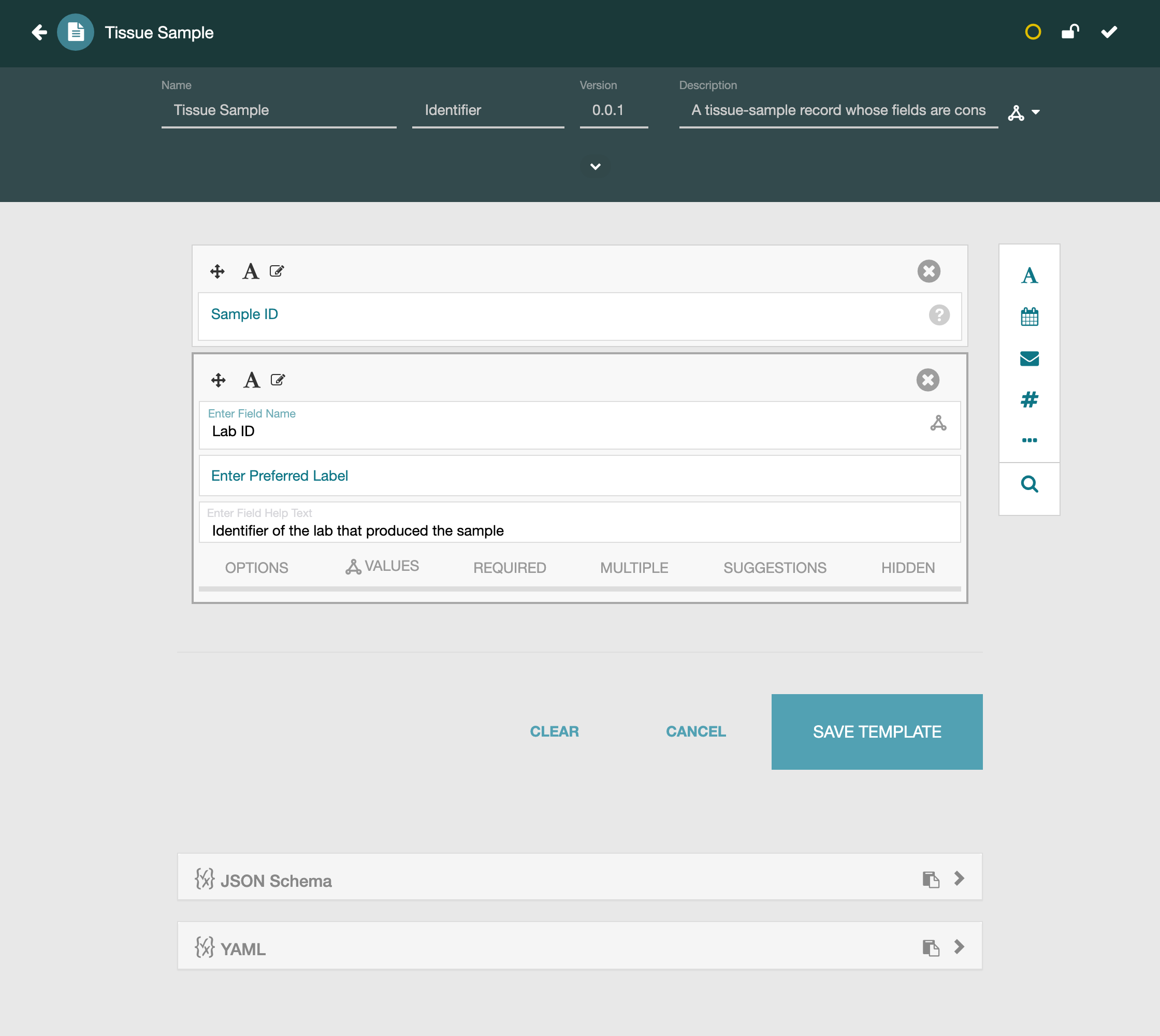
First add two ordinary text fields, Sample ID and Lab ID, with no
constraints. Not every field needs a controlled vocabulary; a local identifier is
just a string, and forcing it into an ontology would help no one. These two
fields also give the template some context before the controlled fields.
Field 1: Cell Type, Bound to a Whole Ontology
The first controlled field is Cell Type. Every value it should ever hold is a
cell type, and there is a single ontology whose entire purpose is to name cell
types: the Cell Ontology. When an ontology's whole scope matches your field, the
simplest and most complete constraint is to bind the field to all of it.
Add a text field named Cell Type, switch its editor to the Values tab, and
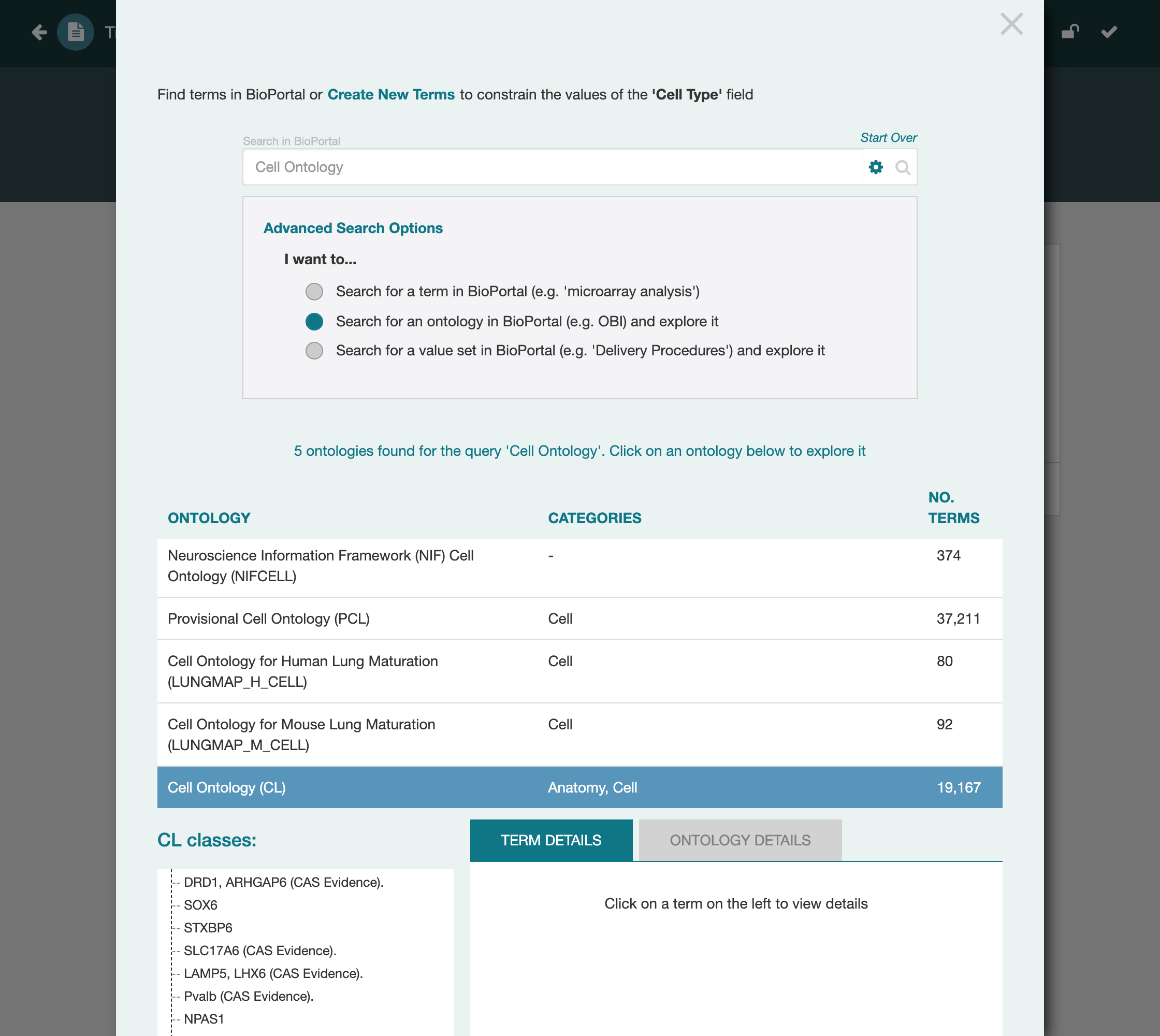
click Add to open the BioPortal term picker. Under Advanced Search Options the
picker asks what you want to do, and this choice is worth pausing on because it
recurs for every controlled field. You can search BioPortal for an individual
term or for a whole ontology to bind and explore. For this field you want a
whole ontology.
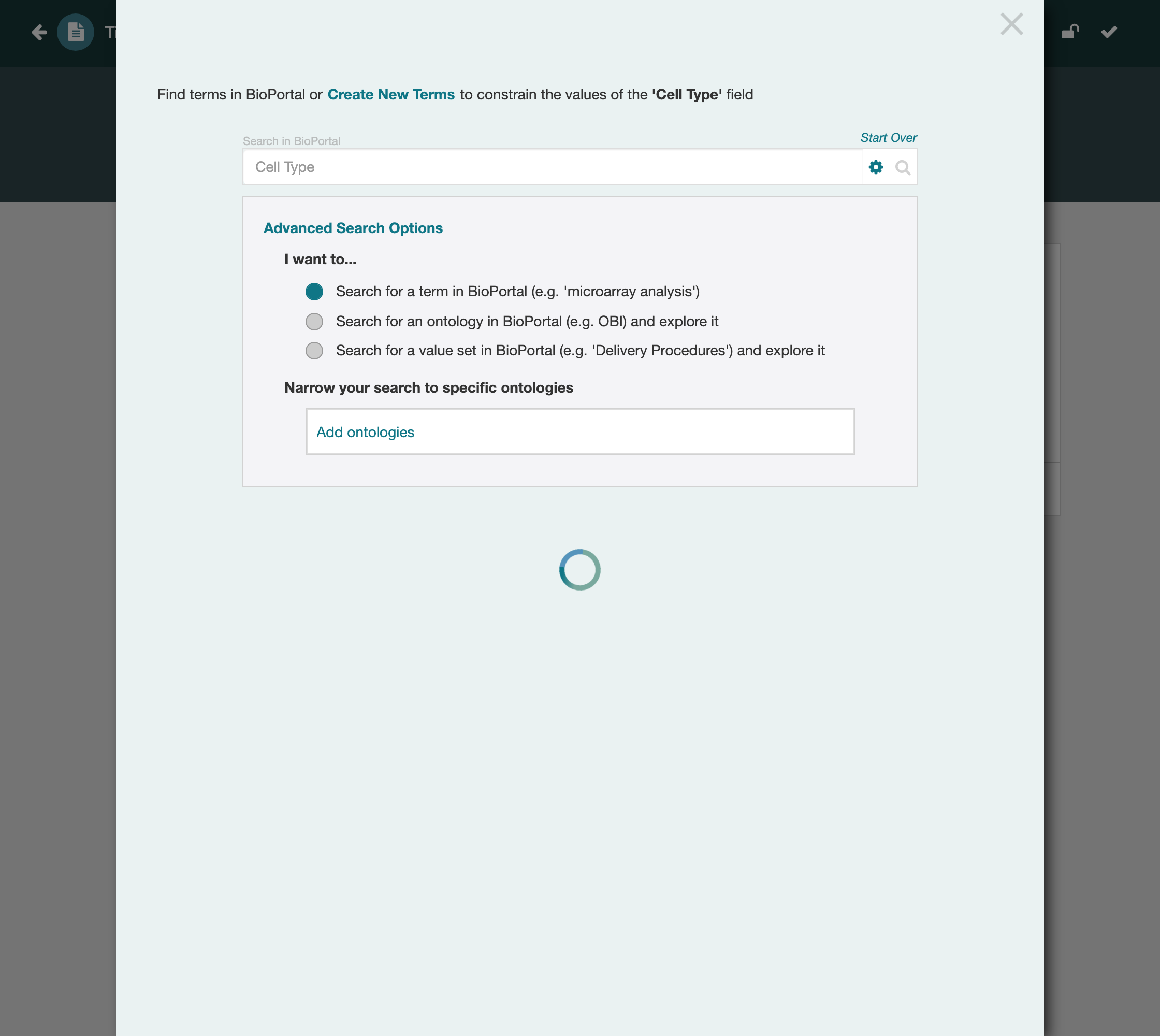
Choose to search for an ontology and search for Cell Ontology. CEDAR queries
BioPortal and returns the ontology, reporting how many terms it contains. This is
the first point where judgment matters, and it matters more than a single clean
result suggests. BioPortal holds well over a thousand ontologies, and they vary
enormously in quality. Some are community standards: broadly adopted, actively
maintained, and carefully governed. Others are partial, stale, or one-off uploads
that almost no one else uses. Often several ontologies cover the same subject,
differing in scope, granularity, and how actively they are kept up. Choosing well
means preferring the ontology that is well maintained and widely used for your
subject, so the terms you commit to are ones others rely on too and will keep
resolving. For cell types that ontology is the Cell Ontology, part of the OBO
Foundry and used across biomedicine, which is why this field binds to it rather
than to some other collection that merely mentions cells.
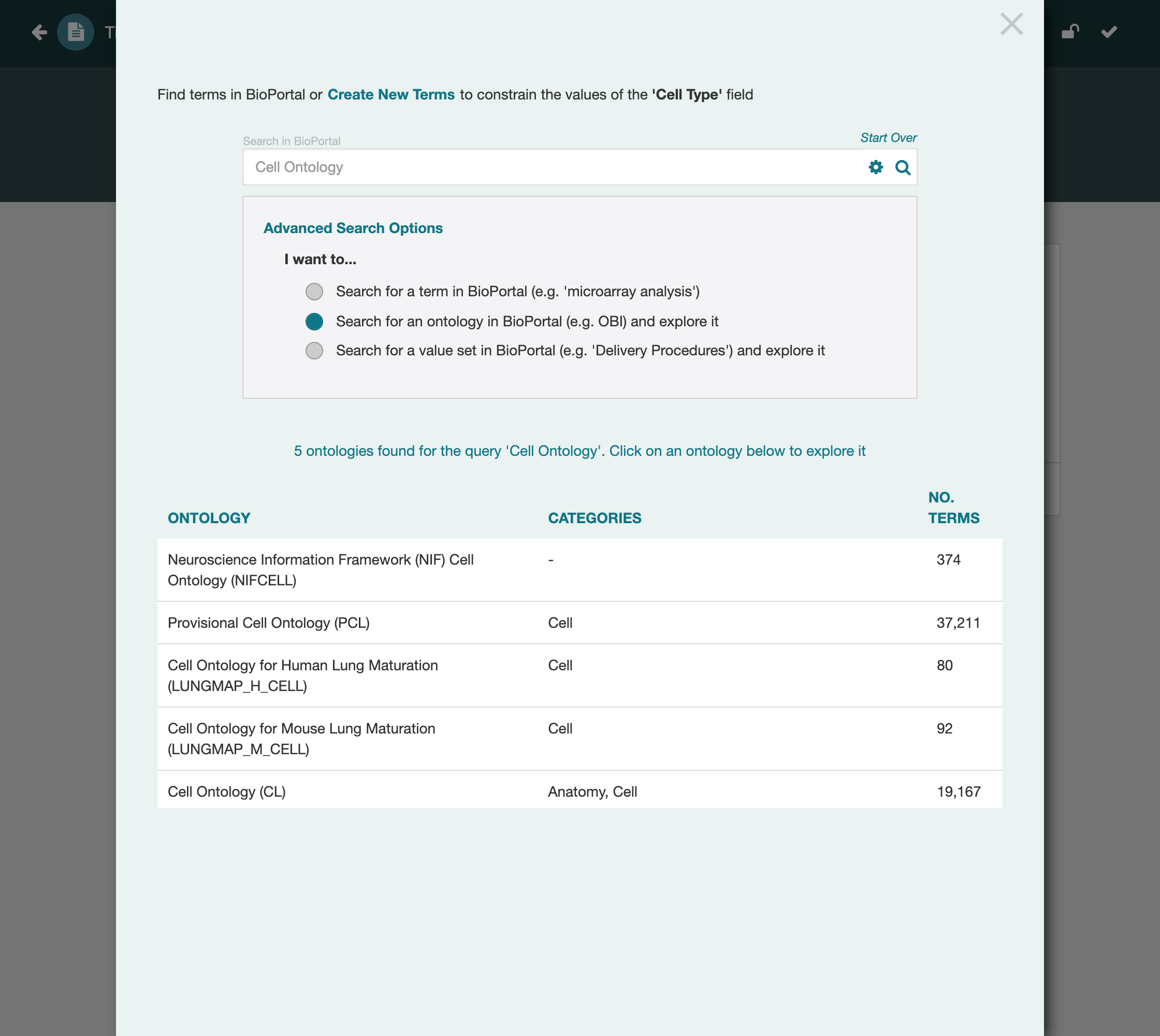
Select the ontology. CEDAR opens it so you can see what you are about to commit to, and offers the same three-way decision at the level of this ontology: take a single term from it, take a branch of it, or take the whole thing. Take the whole thing.
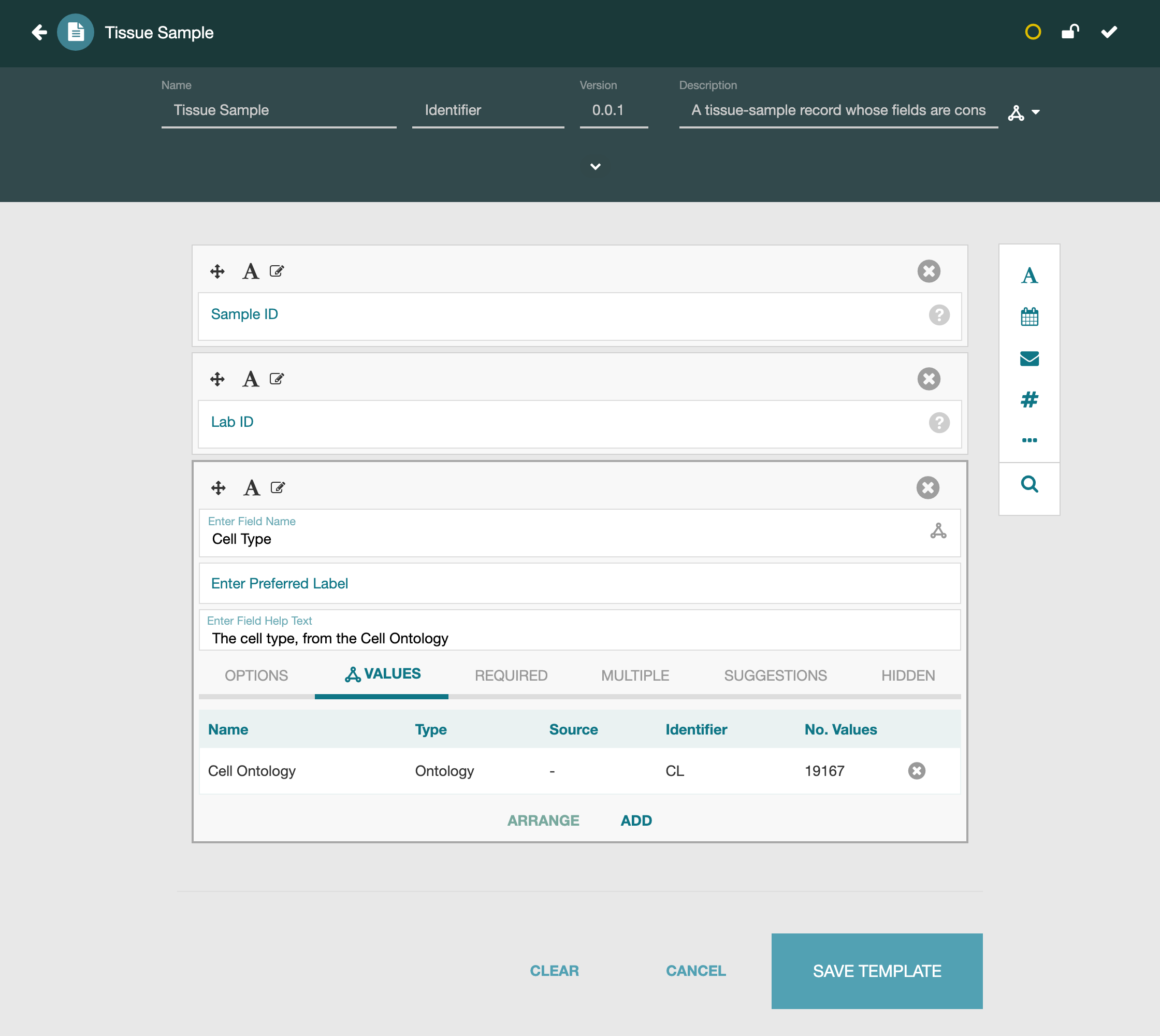
The Values table now shows the field bound to the entire Cell Ontology (source CL), nearly twenty thousand cell-type terms, any of which is a valid value and none outside it.
Field 2: Organ, Bound to a Branch
Binding a whole ontology works when an ontology is about exactly your field. Often none is. An organ is a piece of anatomy, and any ontology broad enough to define organs also defines much more: tissues, cells, body regions, whole organisms. A field that should hold an organ cannot be bound to such an ontology whole, because that would let someone enter a tissue or a cell as well. What you want is a branch: the single class organ, together with everything beneath it. Which ontology that branch lives in you do not assume in advance; finding it is part of the work.
This field is also where finding the term takes real work, so it is worth doing
carefully. Add a text field named Organ, open its picker, and this time search
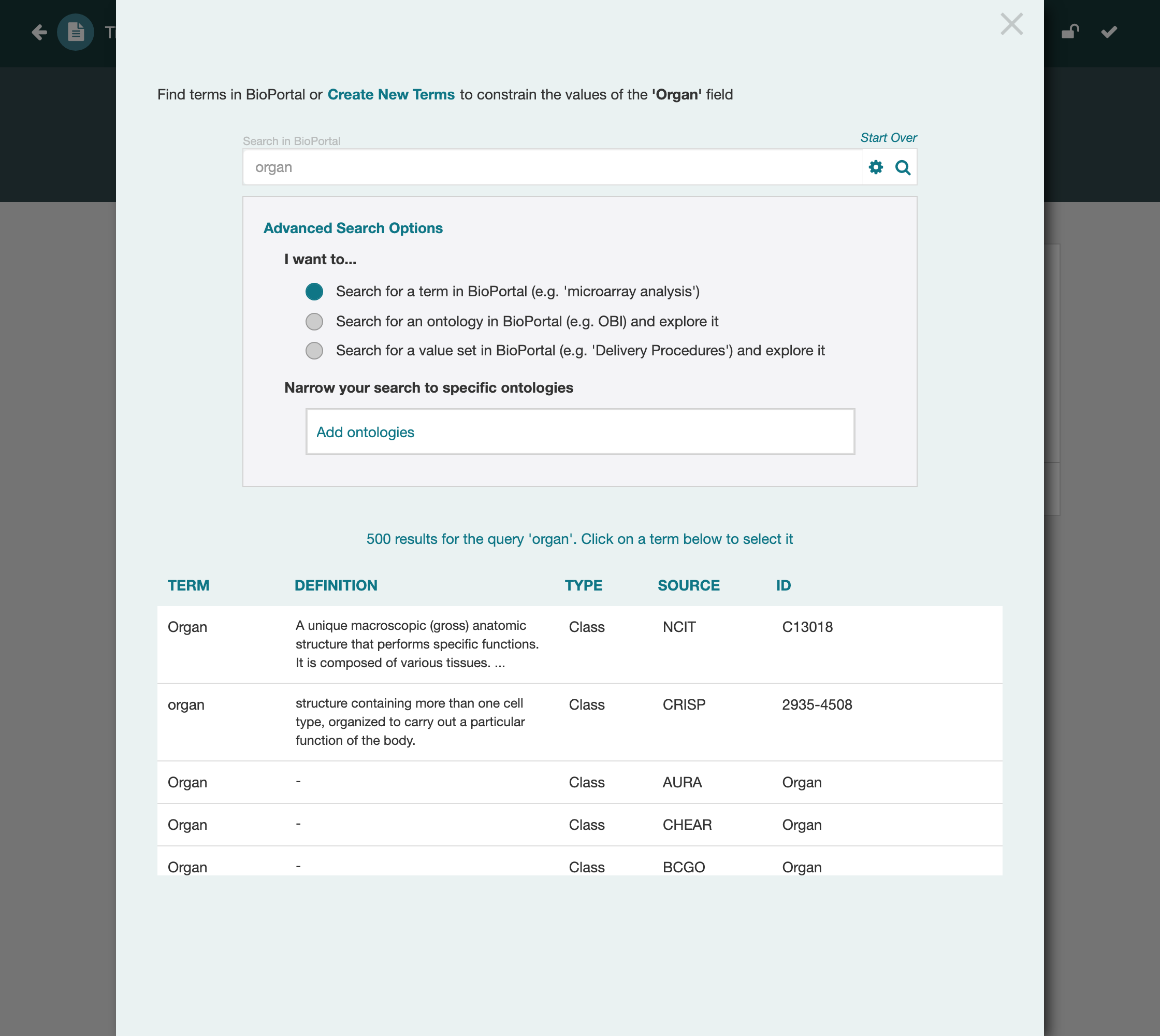
for a term, organ. The result shows the problem with a bare term search: five
hundred matches, from NCIT, CRISP, AURA, and a long list of other ontologies, all
of them a class named some variation of "organ". The same word means slightly
different things in each, and none of these is yet the one you want.
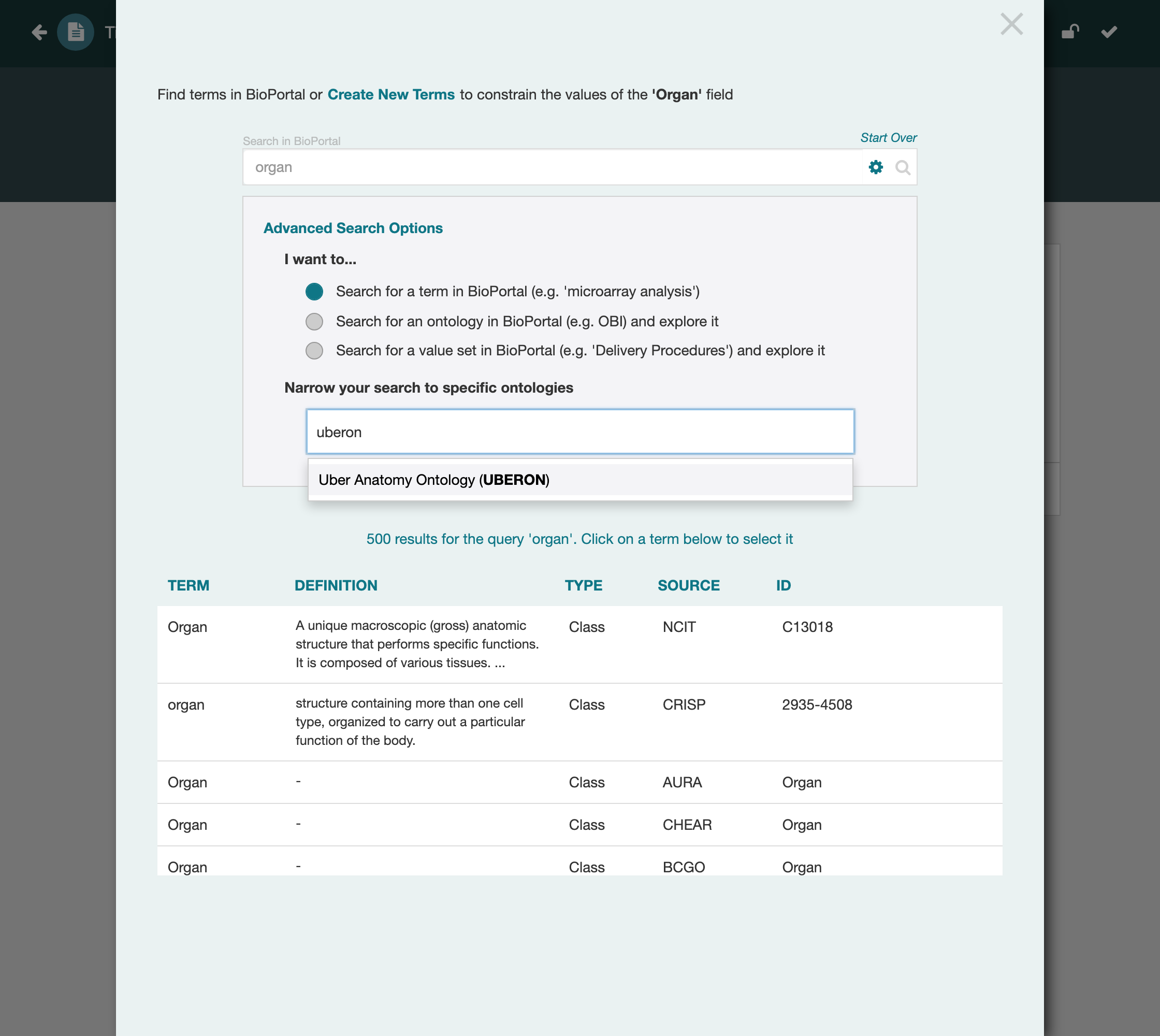
The way through is to recognize which of these ontologies is the one to trust for
anatomy and narrow the search to it. For anatomy that is Uberon, the Uber Anatomy
Ontology, an OBO Foundry standard used across biomedicine. In the picker's
"Narrow your search to specific ontologies" box, start typing uberon; CEDAR
offers it and you add it as a filter.
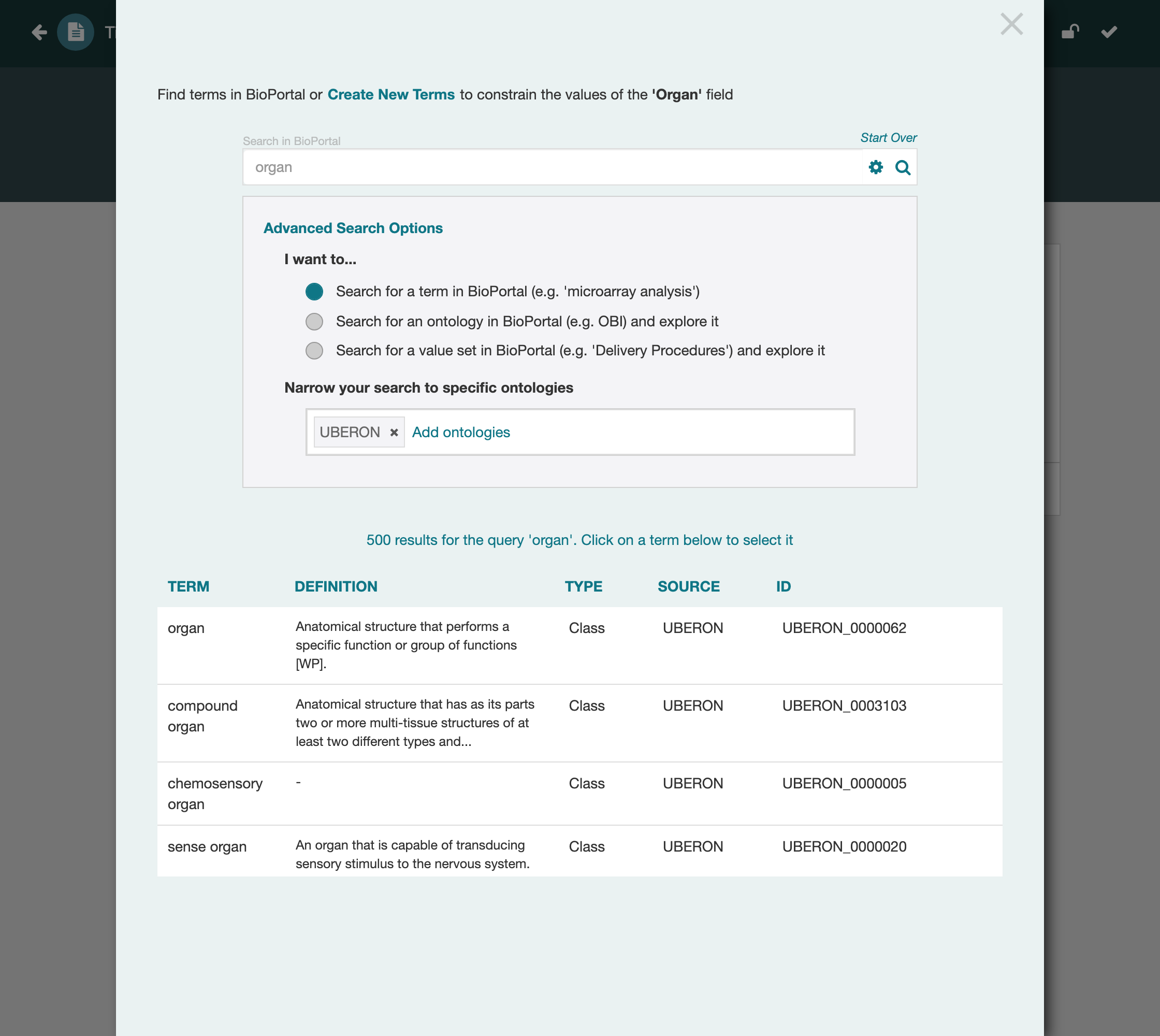
Now the same query returns only Uberon classes, and the concept you want,
organ, is the first of them, with the identifier UBERON:0000062. Beneath it
sit compound organ, sense organ, and the rest of the anatomy you would expect a
sample's organ to be.
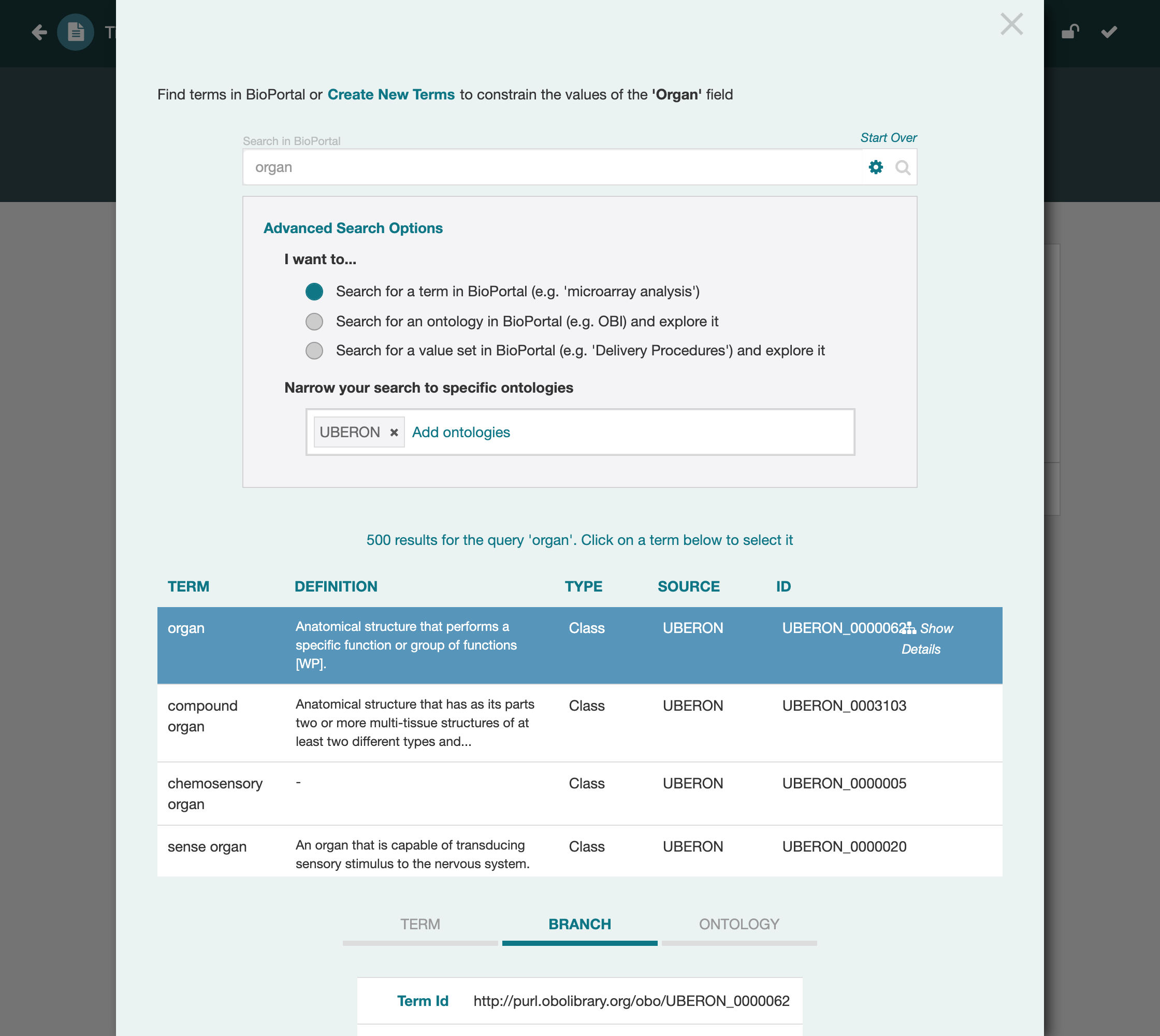
Select organ. Because a class can serve as a single term, the root of a branch,
or a whole sub-ontology, the picker again offers all three. Choose Branch.
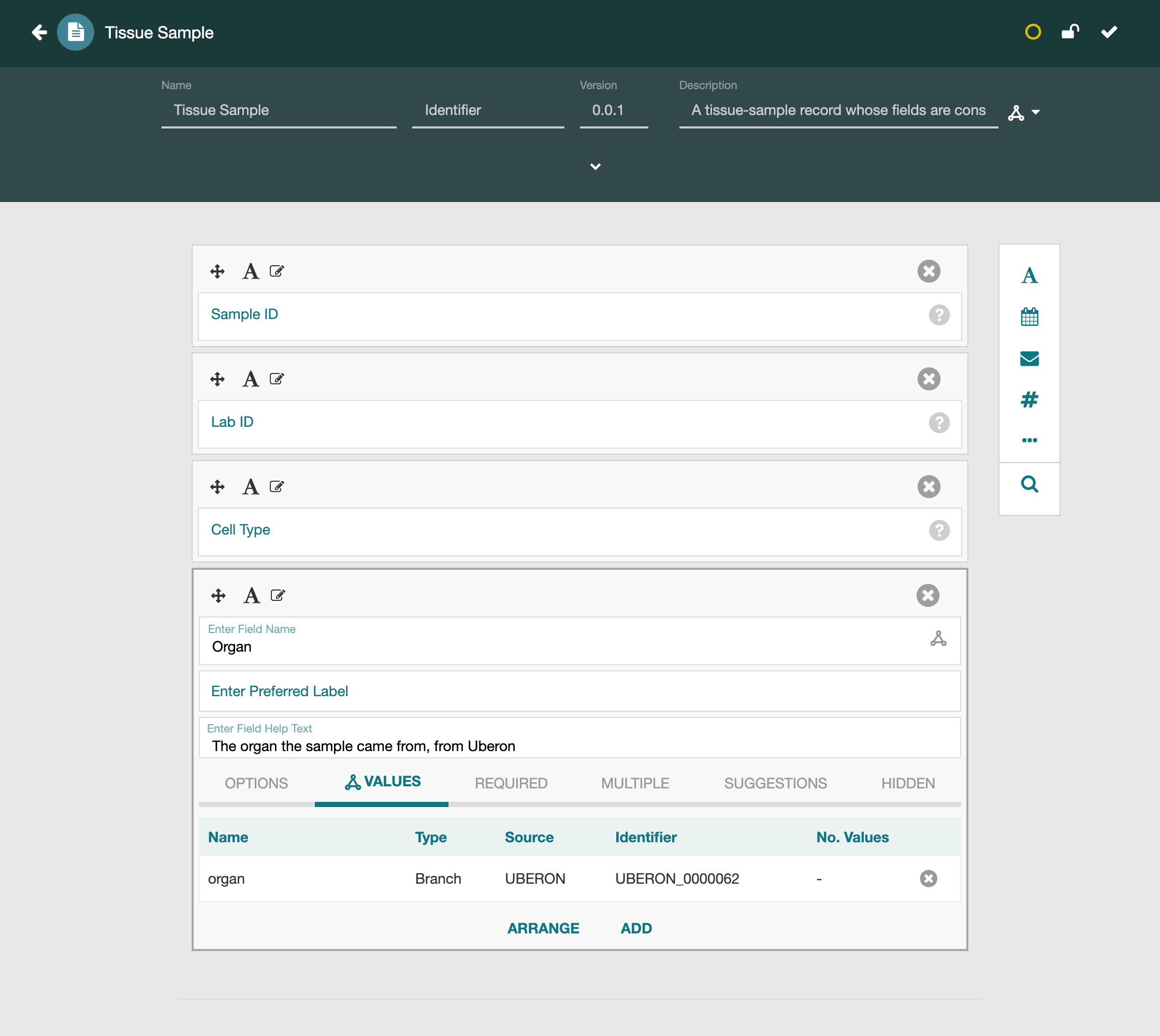
The field is now constrained to the organ branch of Uberon. A value must be that class or one of its descendants, so the field accepts any organ and nothing that is not one.
Field 3: Assay Type, Assembled from Individual Classes
The last field takes the most manual work. Sometimes no single ontology or branch captures the values you want to allow, and the right answer is to assemble the constraint yourself, choosing individual classes one at a time. This template should accept only a few specific assays, so rather than reuse an existing grouping you name the exact terms.
Add a text field named Assay Type and open its picker. Search for a term,
narrowing to the Ontology for Biomedical Investigations, and search for the first
assay, histopathology assay.
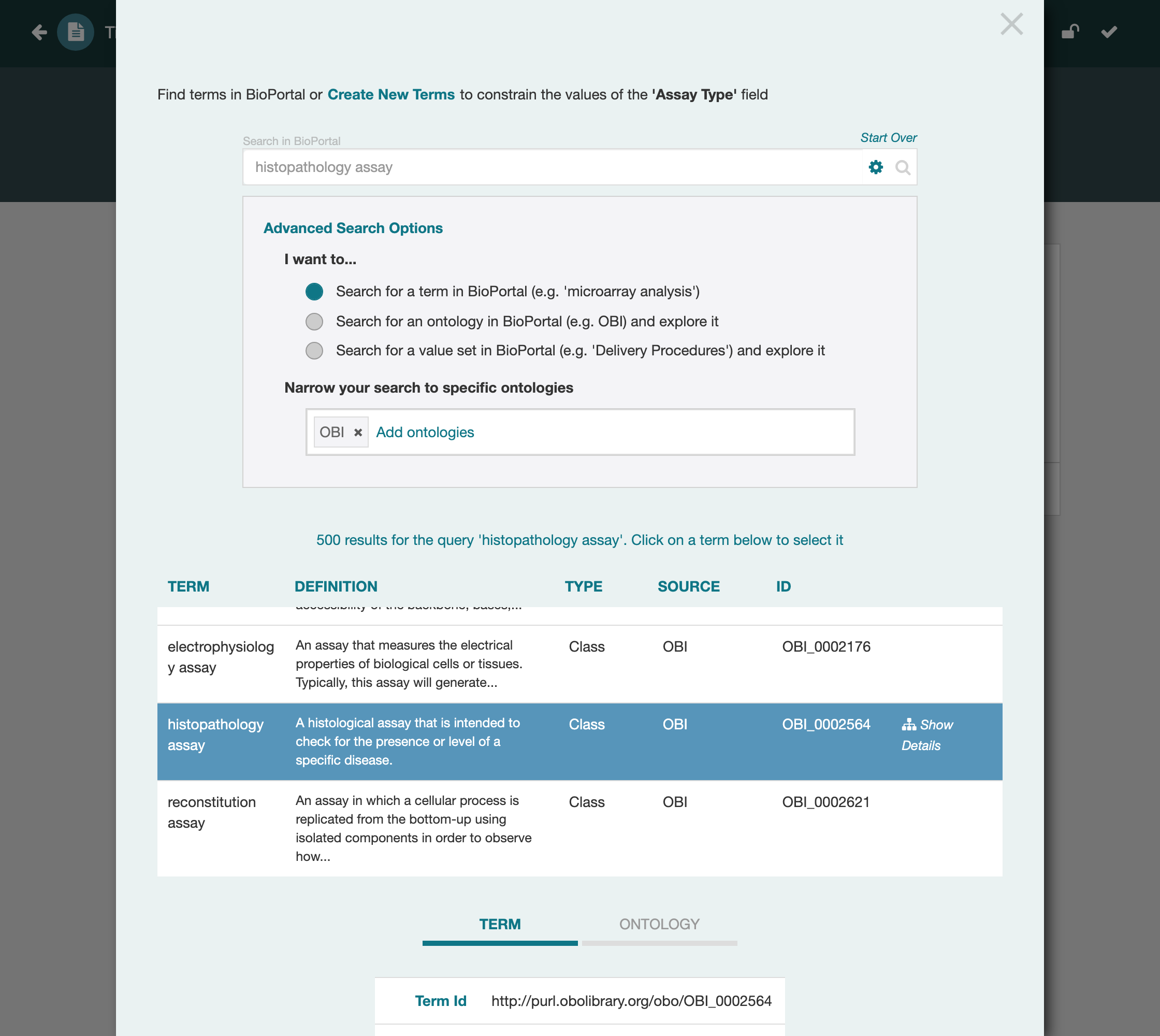
Select it and add it as a single Term. One class is now on the field. To add the next, open the picker again and repeat.
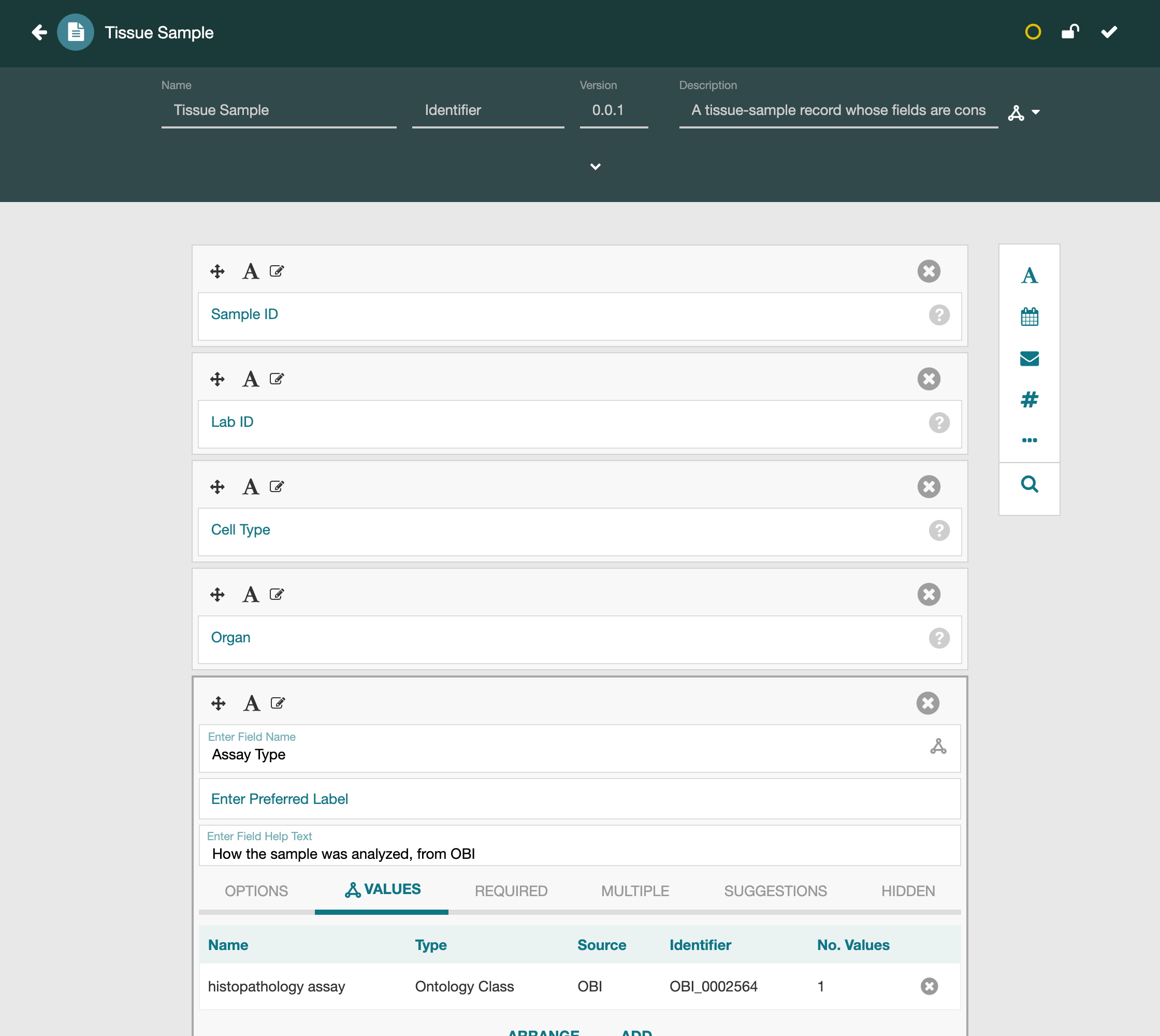
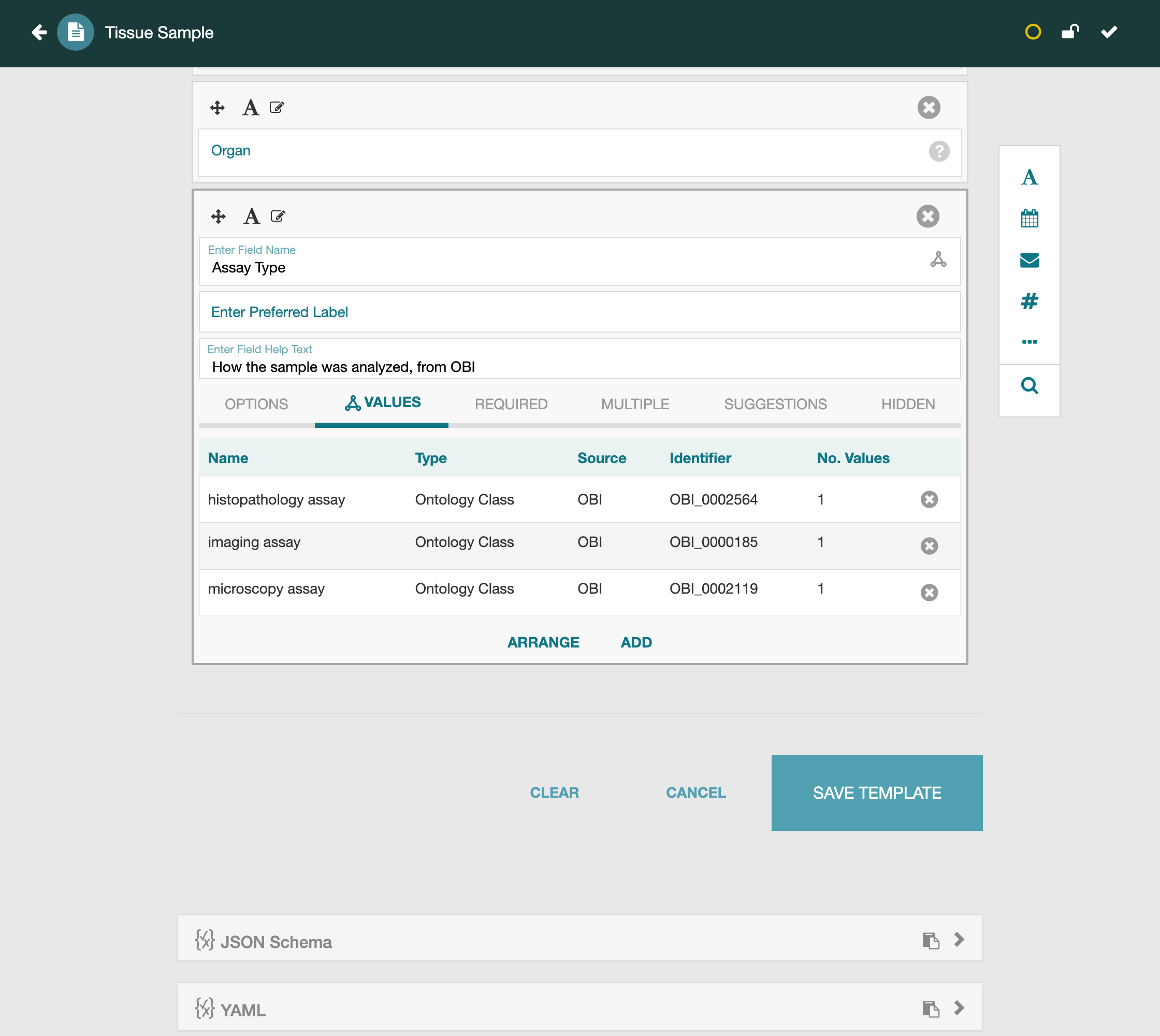
Repeat for imaging assay and then microscopy assay. Each search contributes
one class. The Values table now lists all three, assembled by hand into exactly
the set of assays this template permits. The classes need not come from the same
ontology; you could draw each from wherever it is best defined and combine them
on one field.
Save
The template now has three controlled fields, each constrained a different way: a whole ontology, a branch, and a set of assembled classes.
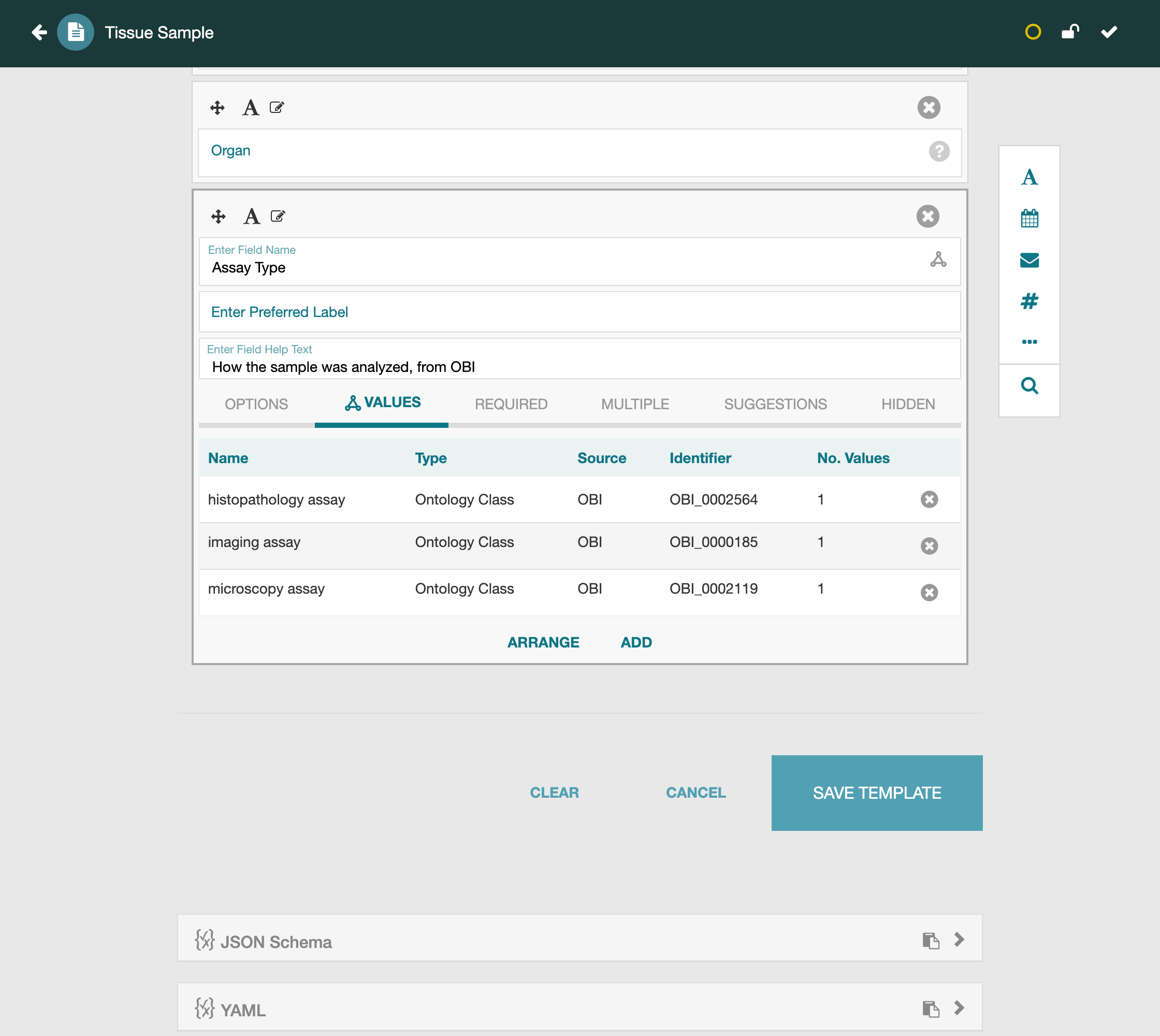
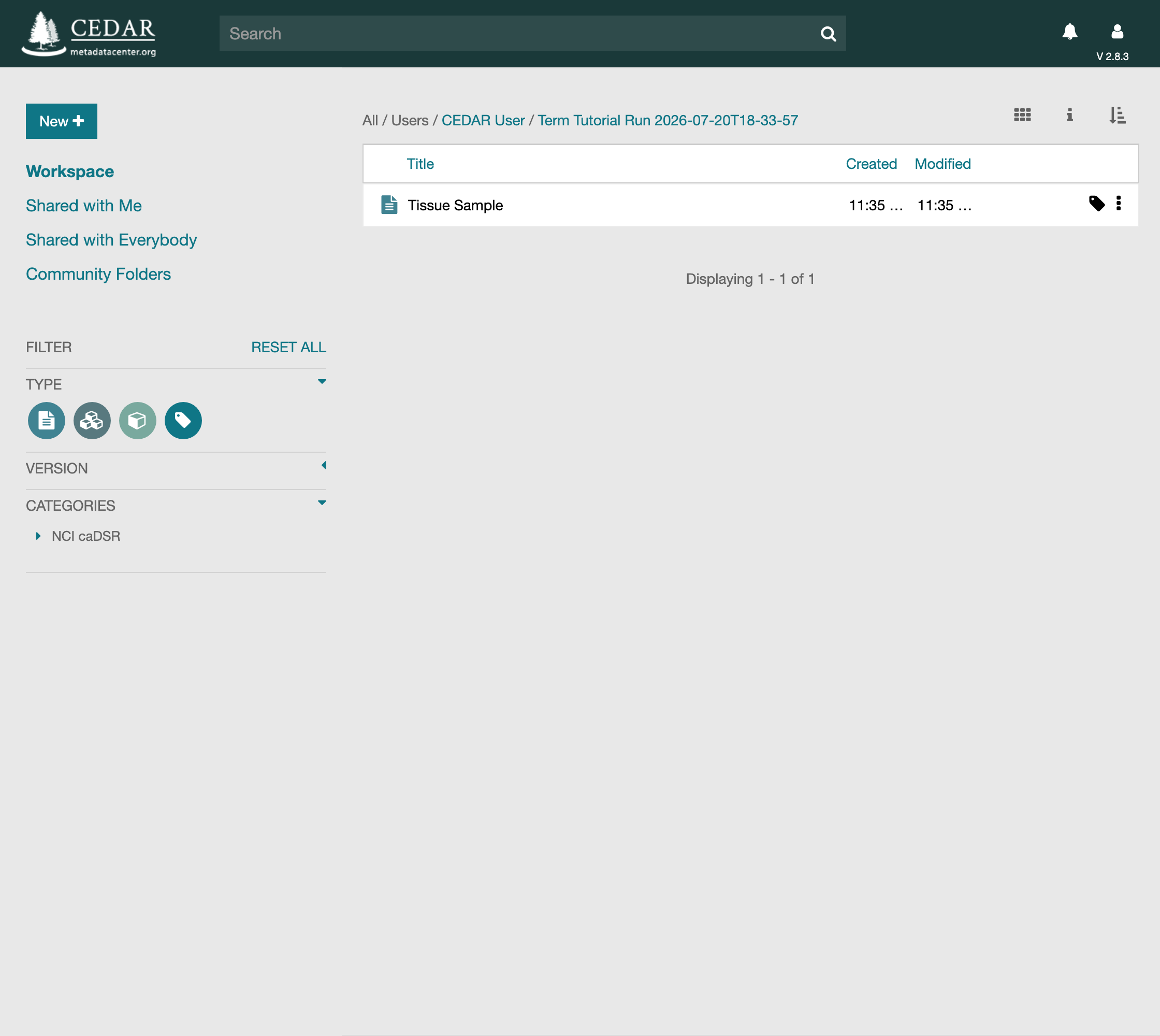
Save it, and it sits in your folder alongside anything else you have built.
Fill an Instance
A template is a blueprint. The metadata you actually collect are instances of it, one per sample, and it is when you fill an instance that the constraints you set earn their place: each controlled field becomes a guided picker that offers only its allowed values. Open the template's row menu and choose Populate to create one.
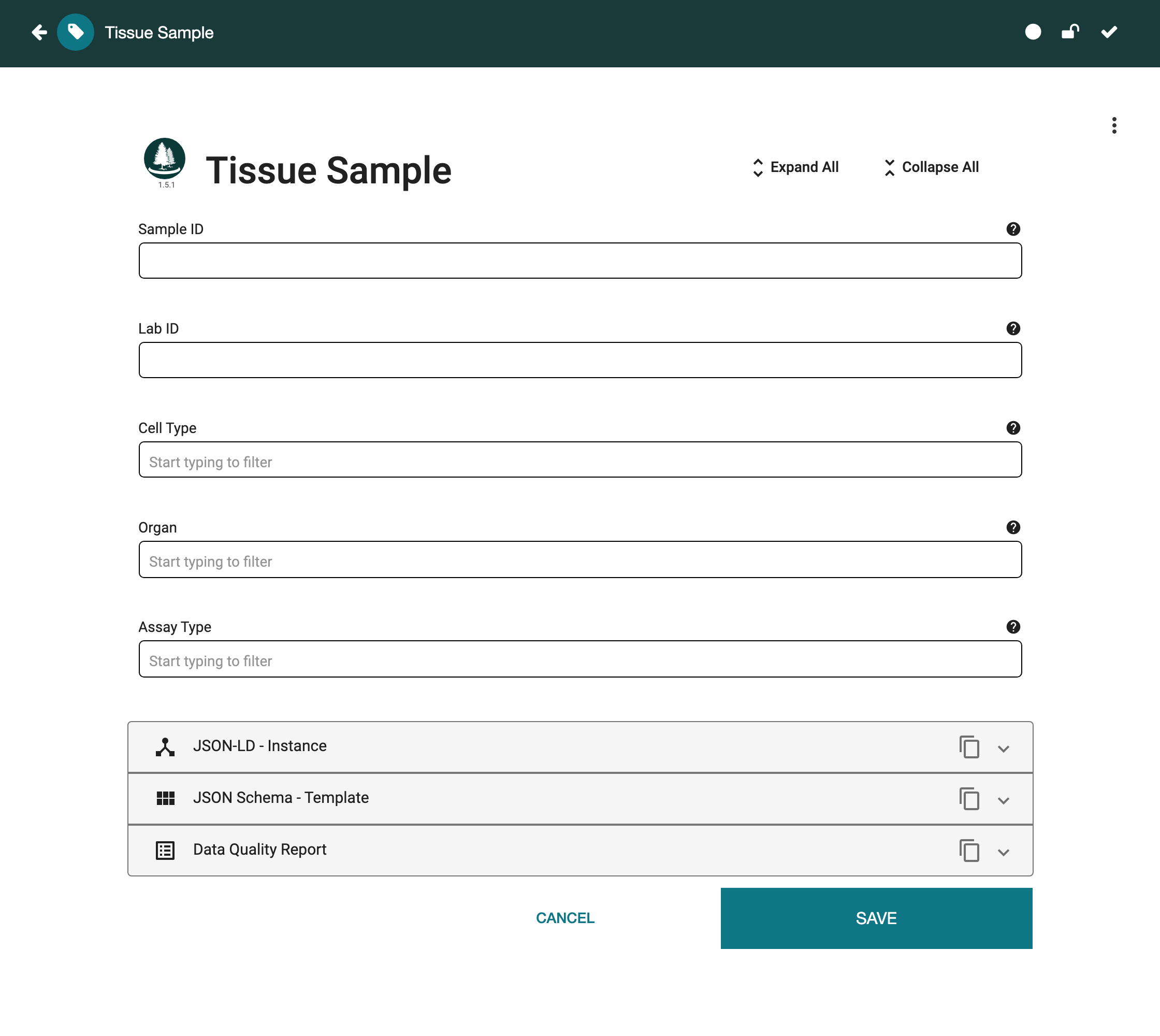
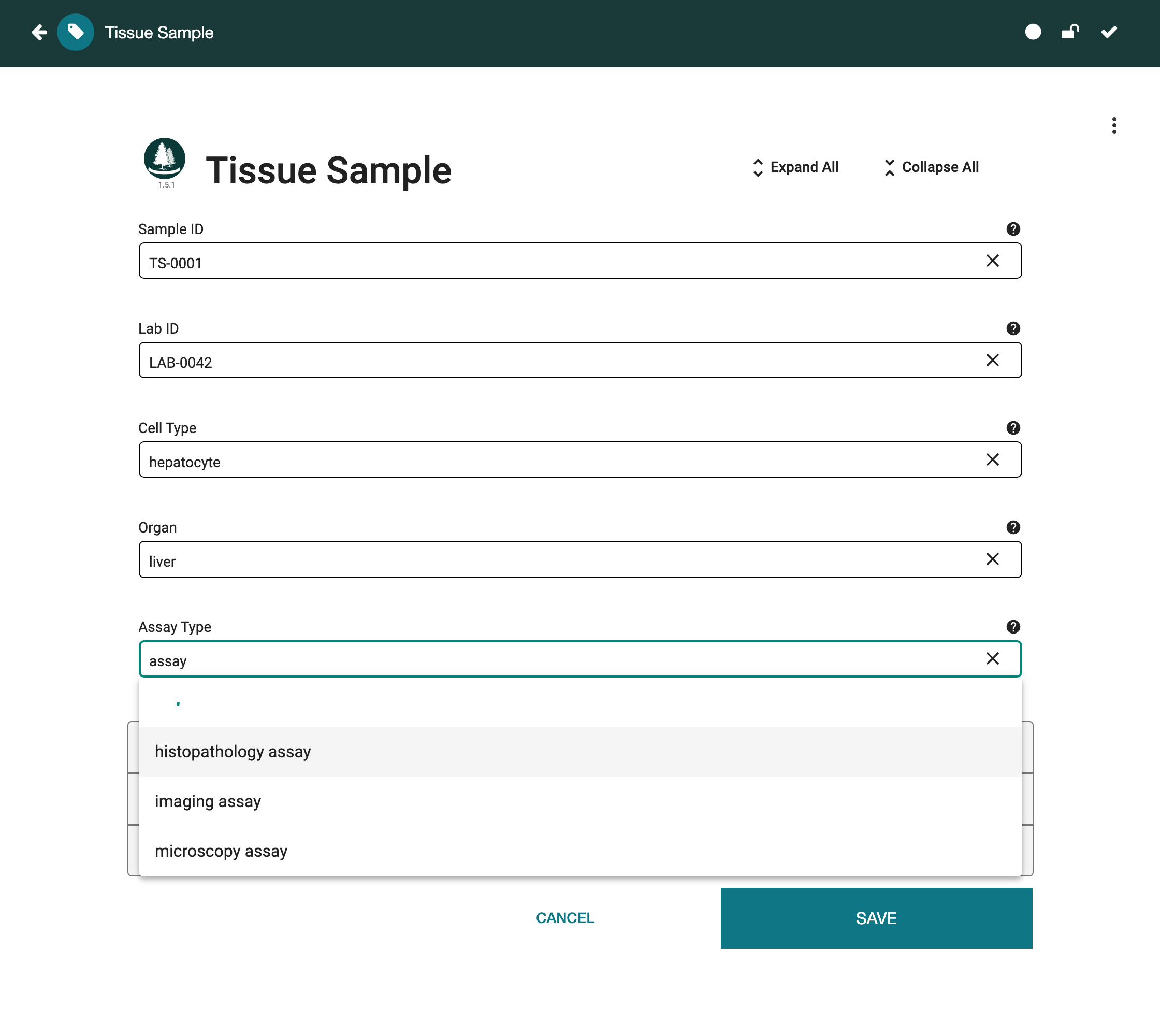
Sample ID and Lab ID are ordinary text, so you type them freely. The controlled
fields behave differently. In Cell Type, begin typing hepat and the field
offers hepatocyte and its neighbors from the Cell Ontology, and nothing from
outside it; choose hepatocyte. In Organ, type liver and the field offers
liver from the Uberon organ branch. Neither field will accept a value that is
not in the vocabulary you bound it to. Assay Type shows the constraint at its
tightest: you assembled it from exactly three classes, so it offers exactly those
three and nothing else.
Choose histopathology assay and the instance is complete.
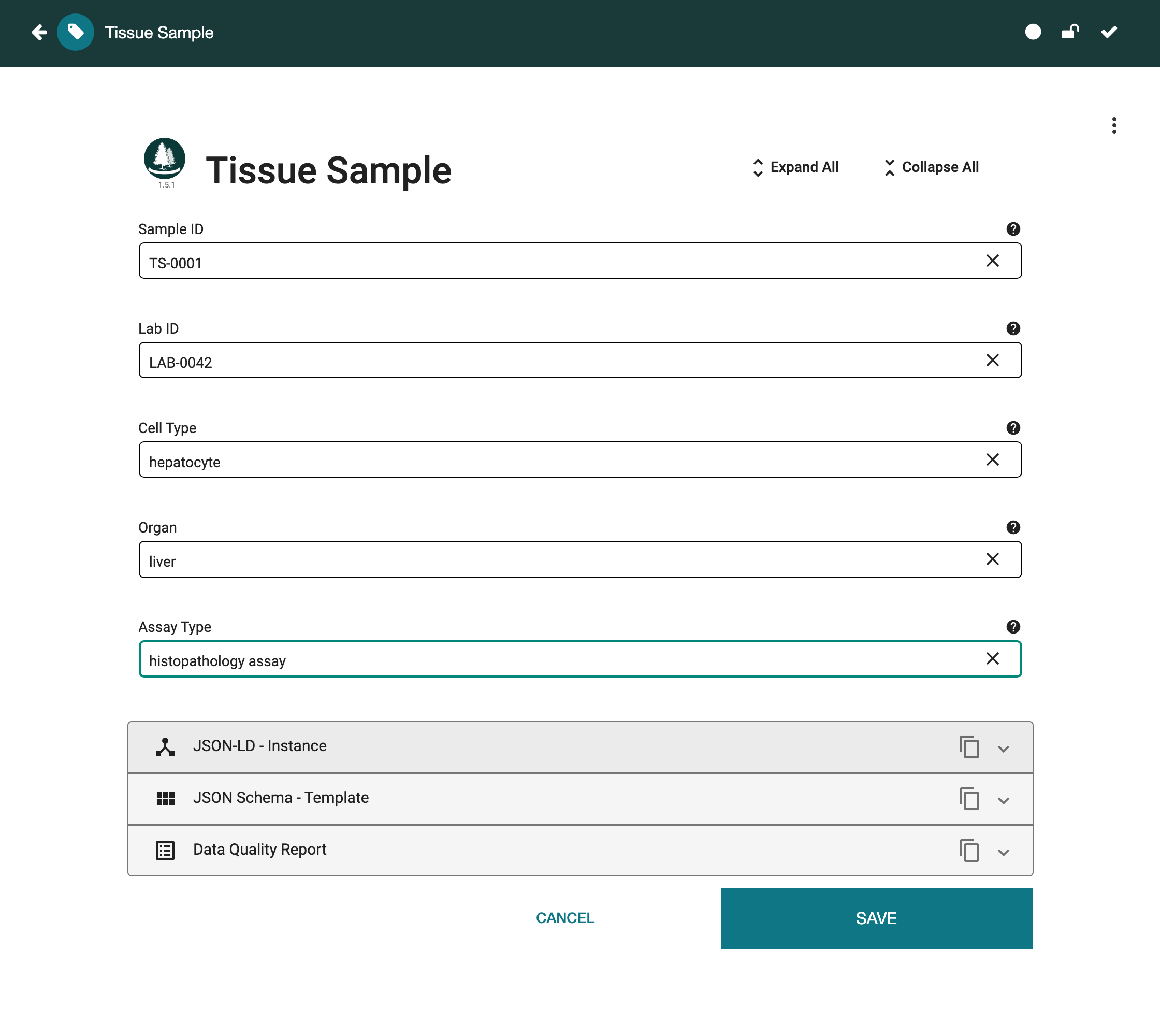
Save the instance. It carries the values you chose not as text but as the ontology terms behind them, each with a stable identifier, ready for anyone or any program to interpret without guesswork.
Whichever method you used, the result is the same in kind. The field no longer accepts arbitrary text, only terms that already carry an agreed meaning and a stable identifier. Which method to reach for is a question of fit: a whole ontology when it is about exactly your field, a branch when only part of an ontology applies, and assembled classes when nothing existing fits and you must name the values yourself. None of them is automatic. The right terms have to be found before a field can point at them. That work is what makes the payoff possible: values that mean the same thing to everyone, drawn from vocabularies you share rather than invent.